
Accessibility widget
Visitors adjust text, contrast, motion and reading aids to their own needs. Free, open source, in 53 languages.
A free, open-source widget your visitors can use, real automated scans of your pages, and audits by people for what automation cannot judge.
No sign-up needed for the free check.
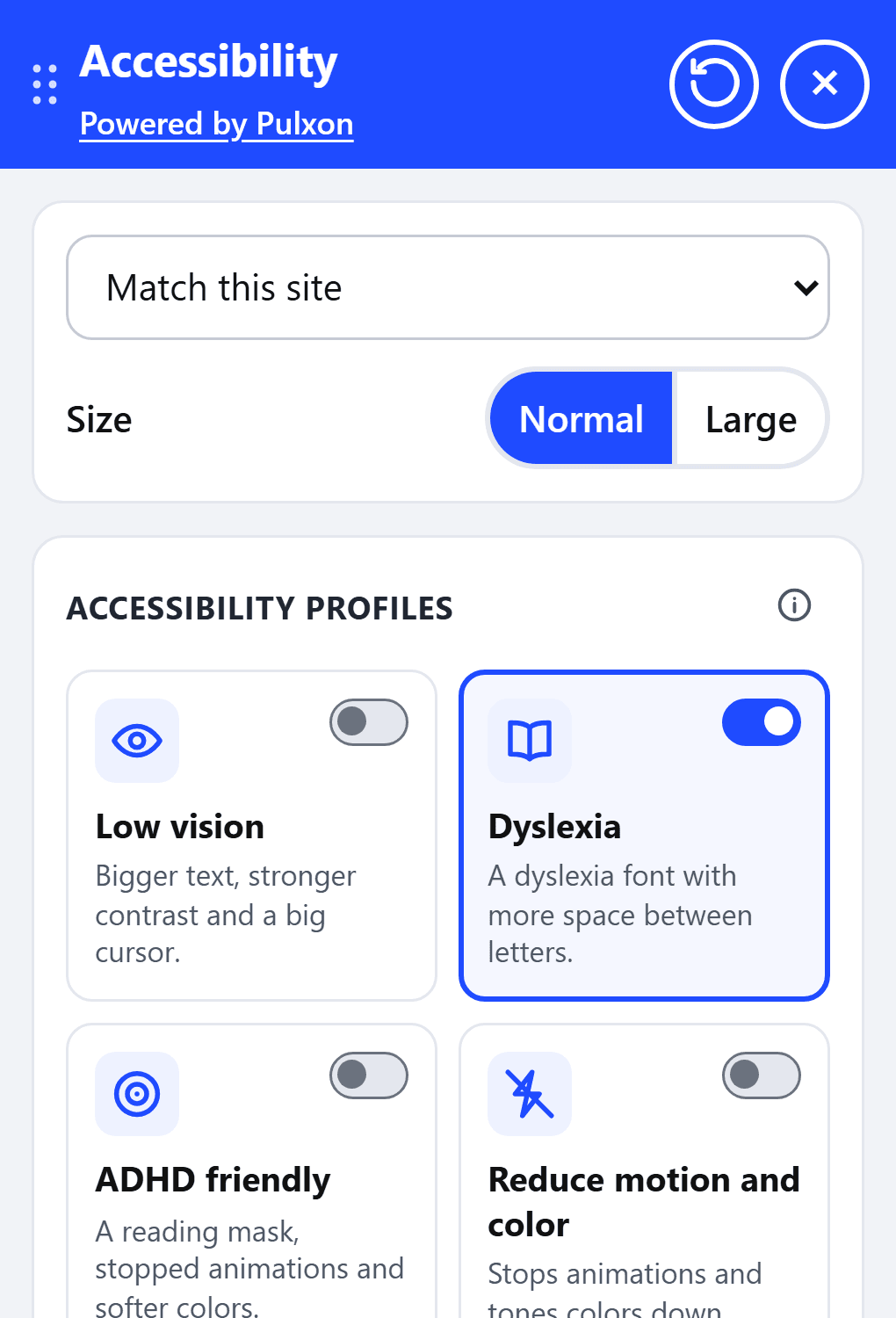
Visitors adjust text, contrast, motion and reading aids to their own needs. Free, open source, in 53 languages.
We load your page in a real browser and run the WCAG 2.2 AA rules: a score, what fails and how to fix it.
People test your flows with a keyboard and a screen reader, and we write the statements and VPAT buyers ask for.
Available on request
Automated scans catch a meaningful share of accessibility problems, but not all of them. They cannot tell you whether alt text actually describes an image, whether a form still makes sense when read aloud, or whether a keyboard user can get through your checkout.
A widget is the same story from the other side: it helps a visitor adjust the page in front of them, and it does not repair what is broken underneath. We say so on every screen where it matters, including your scan results.
One script tag, or a plugin for WordPress, Joomla and Drupal.
Font size from 100 to 180%, font weight, line height, letter spacing, alignment and a dyslexia font.
High, light and dark contrast, inverted colors, monochrome and low or high saturation.
A reading guide, a reading mask, highlighted links and titles, tooltips and a dictionary.
Reads the page with the visitor's own browser voices, at normal, fast or slow speed.
Stops animations, hides images and offers a stronger focus outline and a bigger cursor.
Follows your site's language on its own, including right-to-left Arabic, Persian, Hebrew and Urdu.
A visitor's settings stay in their own browser. The widget sends nothing about your visitors anywhere, and without a site key it makes no requests besides loading its own files.
What a widget, a scan and an audit can and cannot do for your site.
No, and no widget can. It helps visitors adjust the page in front of them. Missing alt text, a form a keyboard cannot reach or a broken heading order stay broken until someone fixes the page. Our scans and audits find those problems; your developers fix them.
One page, loaded in a real browser, against the axe rules for WCAG 2.2 A and AA. You get a score, the failing elements with how to fix them, and the checks a person still has to make.
Yes. It is open source under the MIT license: add one script tag, or install the WordPress, Joomla or Drupal package. The dashboard adds settings you can change without touching code.
It is about 34 kB compressed, loads after the page, and fetches a language only when a visitor needs it. It runs in its own shadow root, so it cannot break your styles.
Nothing it sends anywhere. A visitor's settings stay in their own browser. Without a site key the widget makes no requests besides its own files.
One page, one scan, the full list of what failed and what a person still has to check. No account, no card.
Add the widget in a minute, check your most important page, and see what a person still has to look at. All free to start.